
Features
What you can do with AfterHours
Every feature below is in the app today, shown in a real screenshot. Finding and joining afters, hosting, safety tools and one saved plan.
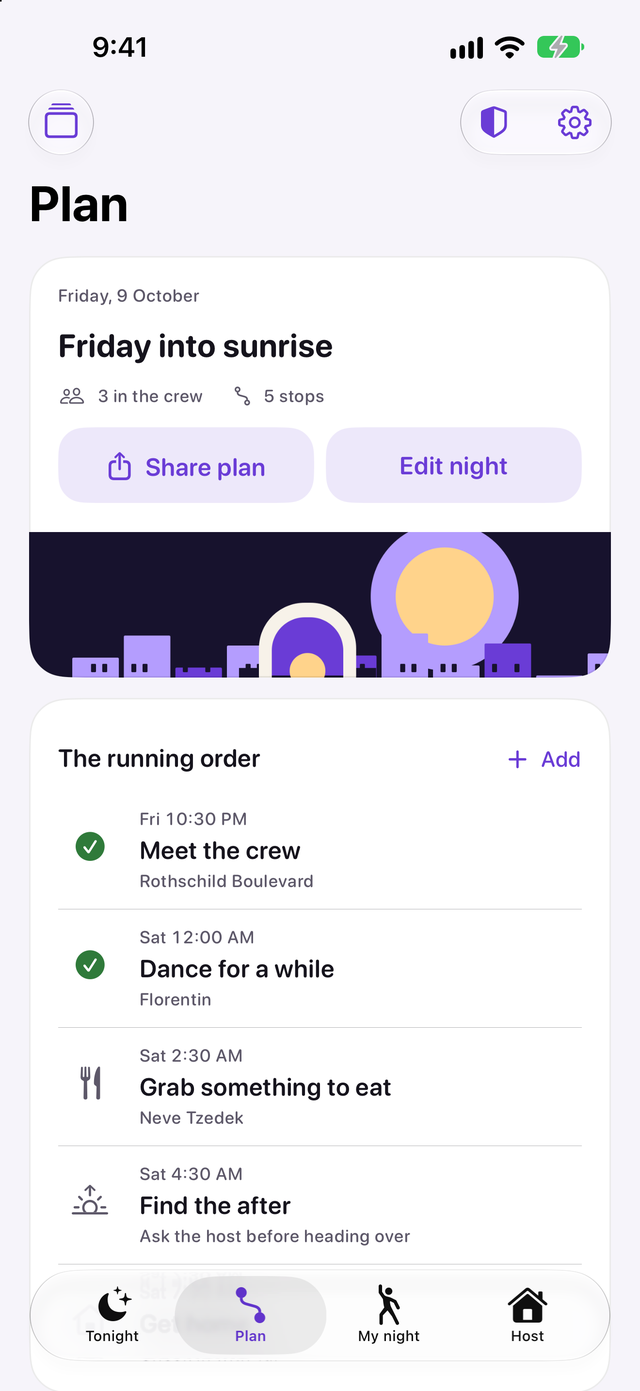
Plan the whole night
Put the meet-up, the dancing, the food stop, the after and the way home in one plan. Each stop has its own date and time, so stops after midnight land on the right day. Add your crew, tick off a checklist and share a copy. Plans stay on your iPhone and work without signal.
For iPhone. Works with iOS 26 or later.
Find the after
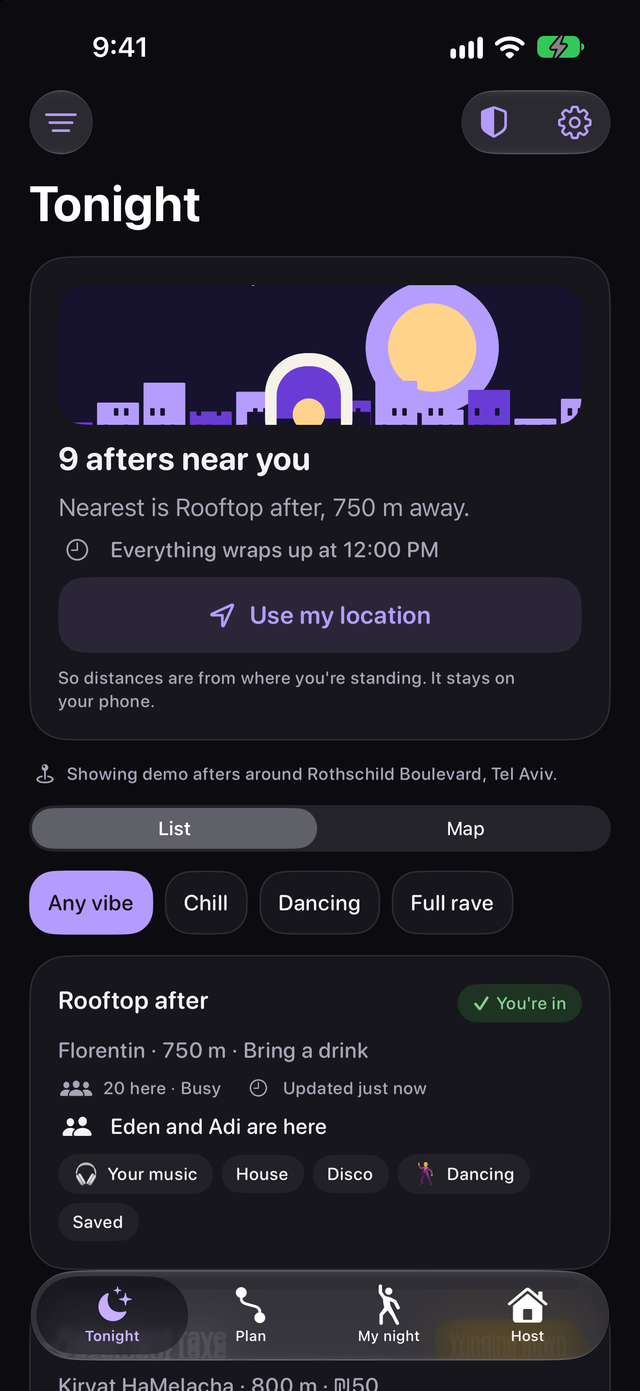
Afters open at 4am Tel Aviv time and come down at midday. Search by music, area or host, switch between list and map and filter by vibe and amenities. Each listing shows the host's latest update, how busy it is and the entry price. Save the ones you like and compare them.
For iPhone. Works with iOS 26 or later.
Get the address after a yes
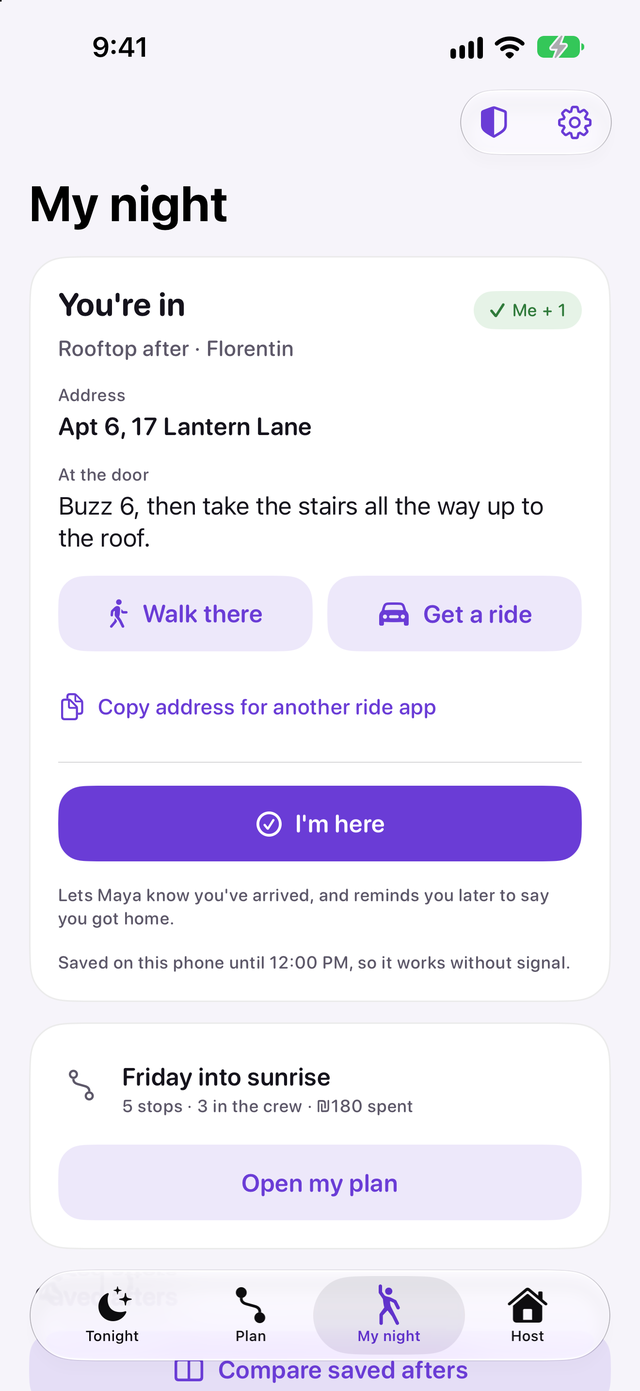
Ask to join with your crew. The host sees your first name, how many of you are coming and how your past nights went. Once they say yes, the address and door notes appear in My night and stay readable without signal until the night ends. Walking directions and ride links are one tap away.
For iPhone. Works with iOS 26 or later.
Keep the split clear
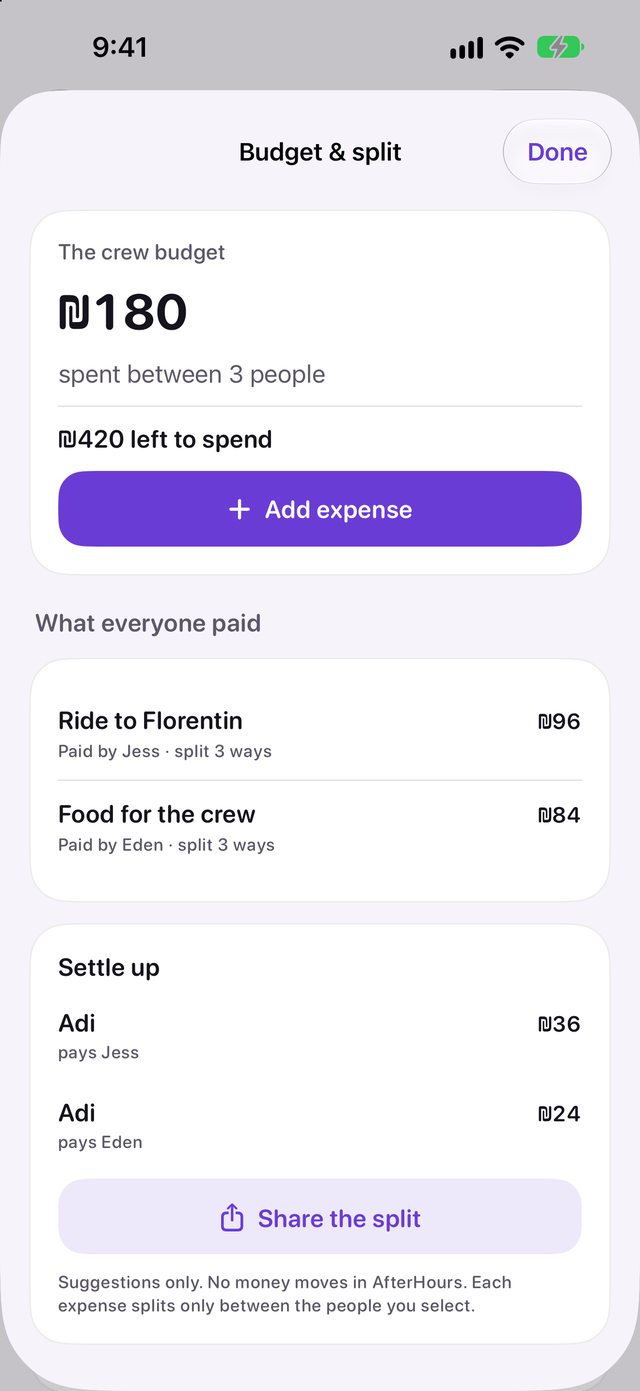
Set a crew budget and add what each person paid. Choose who shared each cost. AfterHours splits every cent and suggests who pays whom, then you can share the split. The app never moves money.
For iPhone. Works with iOS 26 or later.
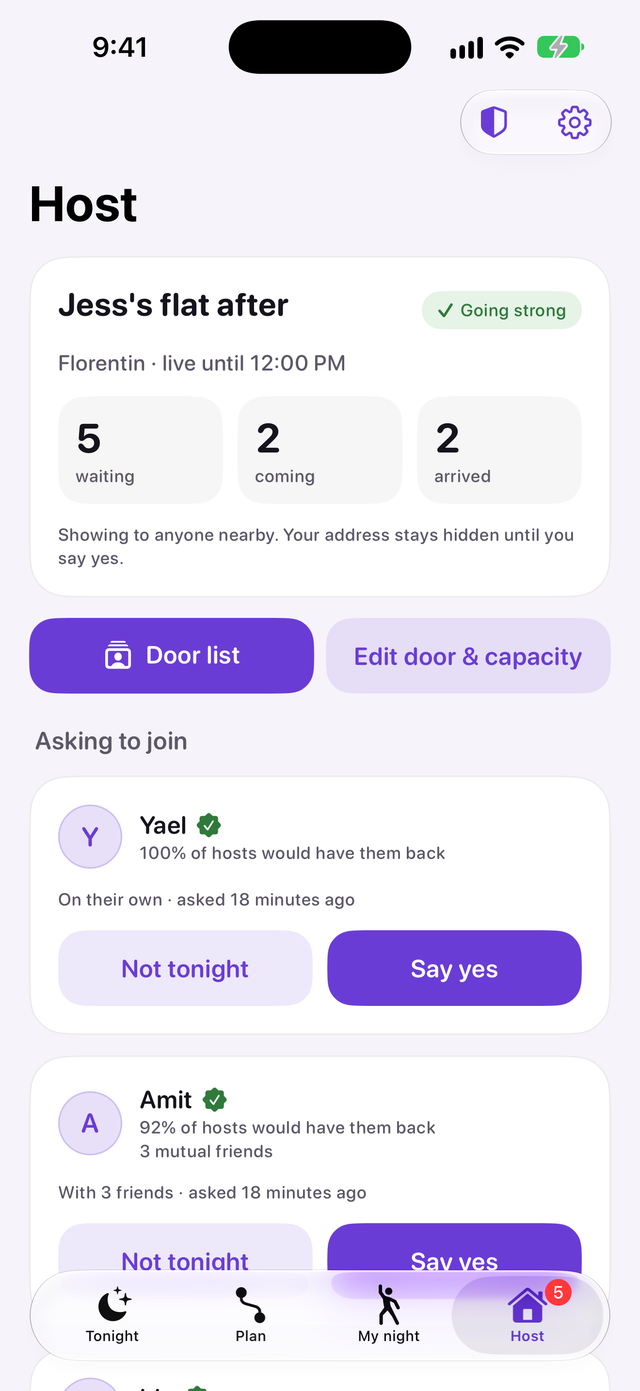
Run your own door
Post an after and approve crews that fit your capacity. Guests see only the area until you say yes. Search the door list, mark arrivals and update the door notes. Save a playbook for next time, with no address in it.
For iPhone. Works with iOS 26 or later.
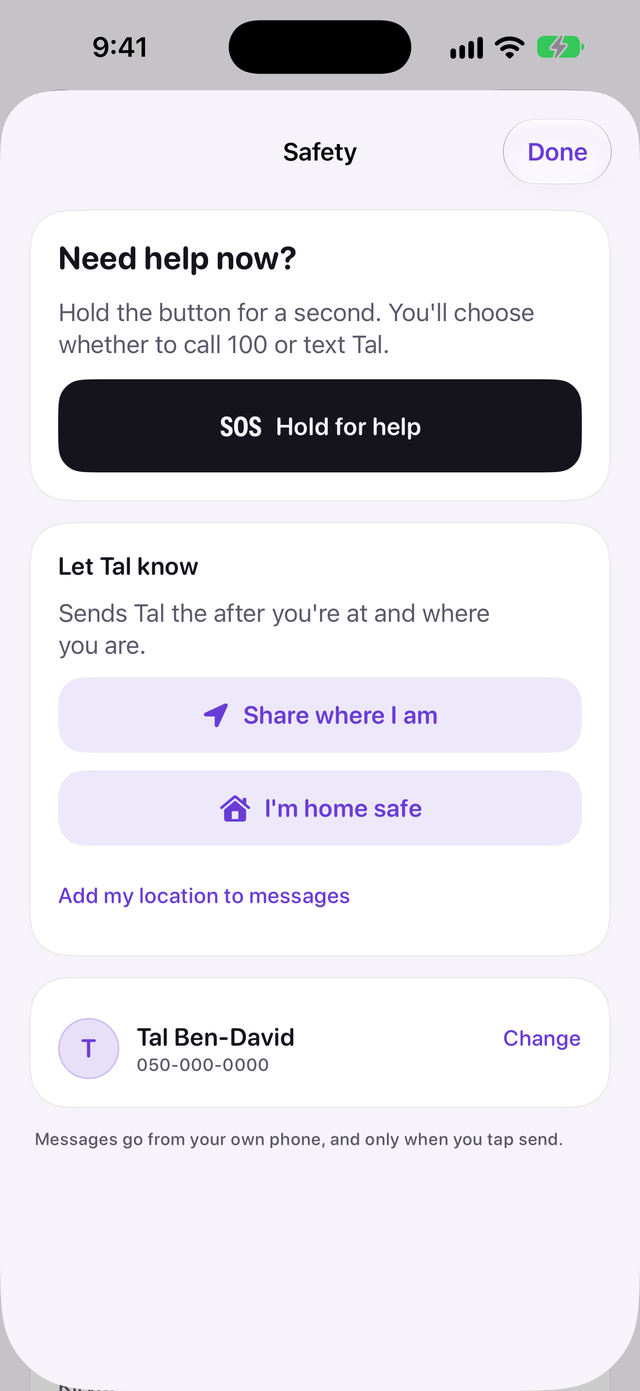
Keep a friend posted
Tap the shield on any screen. Share where you are or say you're home with a text to your trusted friend. Hold for help to choose between calling the emergency number and texting your friend. Nothing is sent until you tap send.
For iPhone. Works with iOS 26 or later.
AfterHours is coming soon to iPhone.
Plan the night with your crew, split what you spend and get the address when a host says yes.
Coming to the App Store
Finding and joining afters, hosting, safety tools and one saved plan.
For iPhone. Works with iOS 26 or later.